













Inventory Slots Reference
View the slot indexes for each minecraft inventory type. With images, and multiple indexing types.
Minecraft Inventory Viewer
Select an inventory using the dropdown or the carousel below.
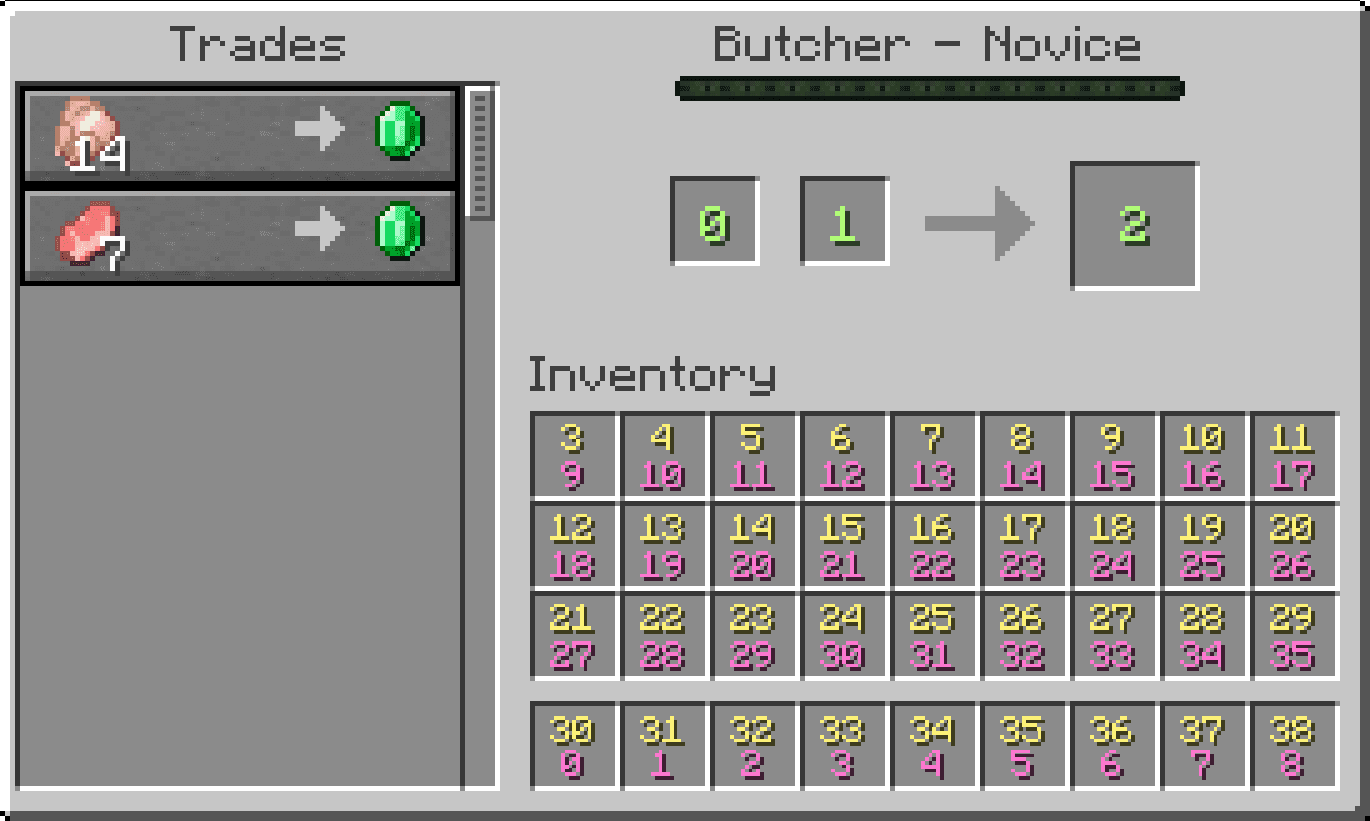
Inventory Slot Indexes
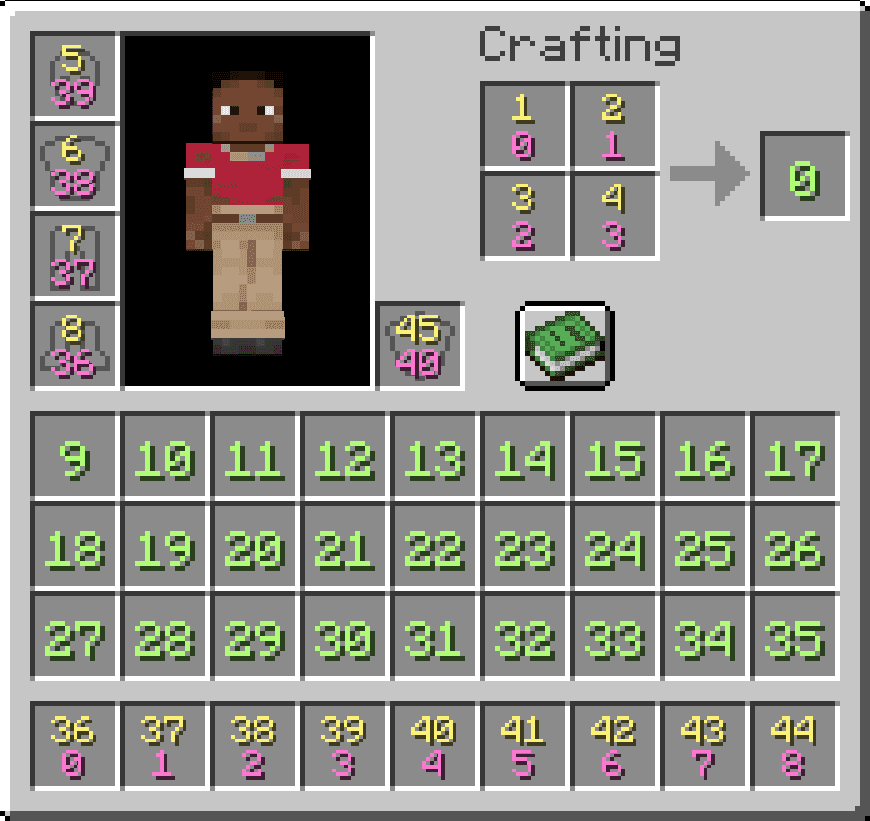
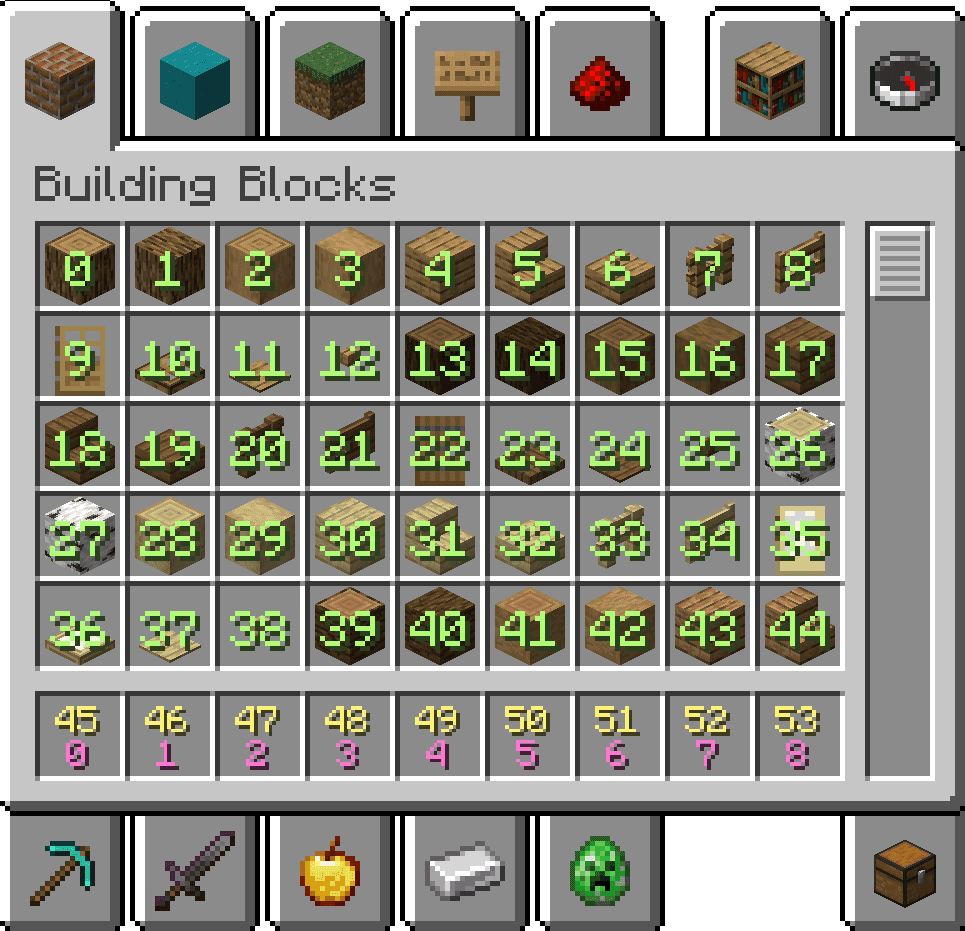
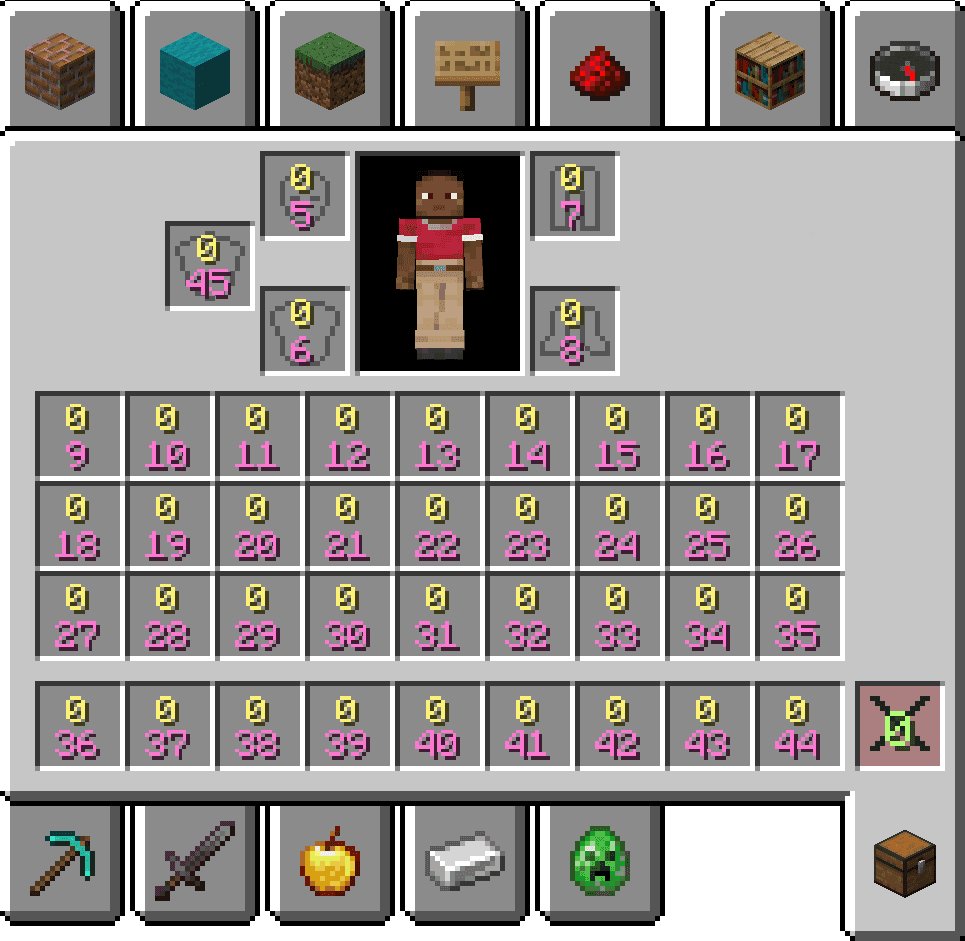
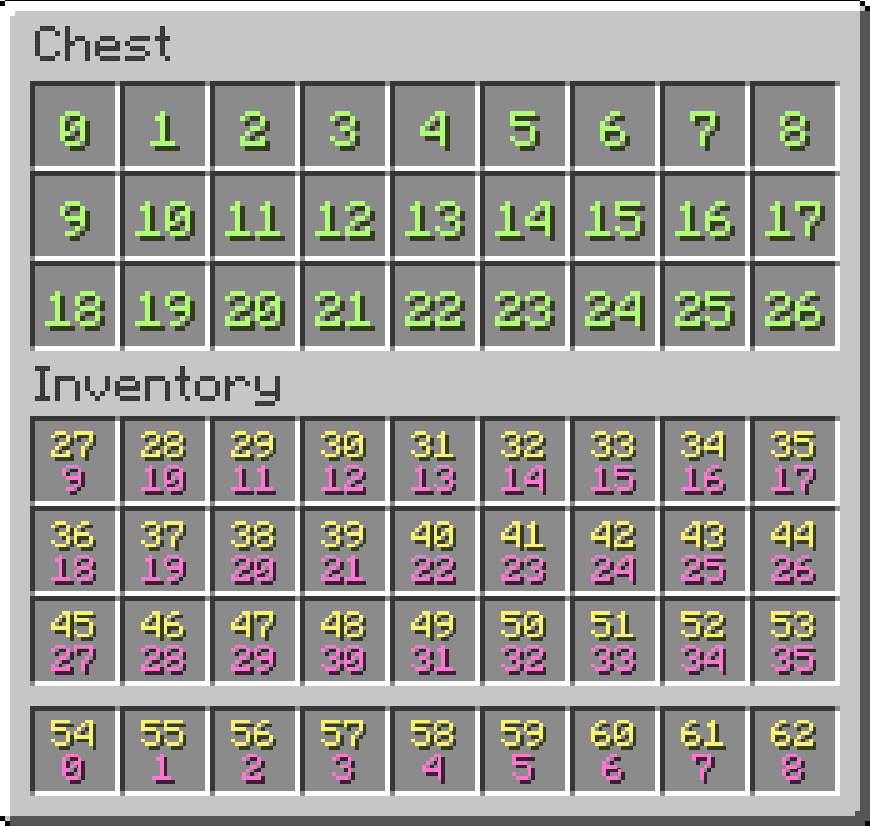
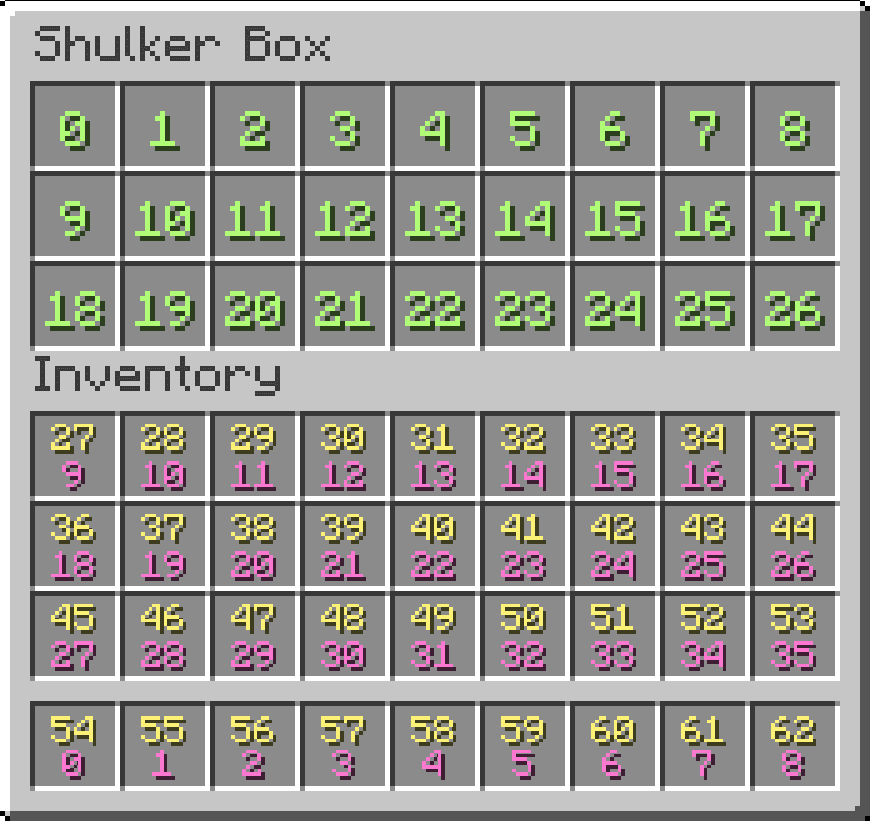
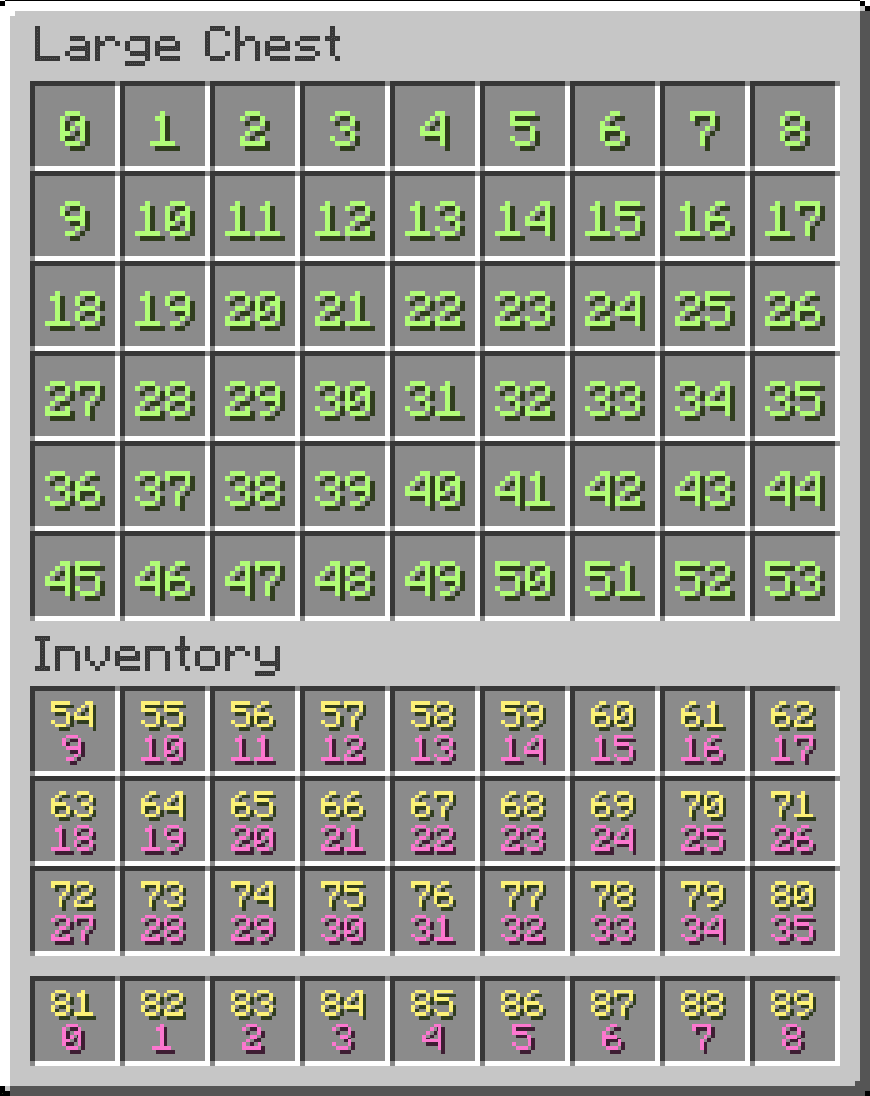
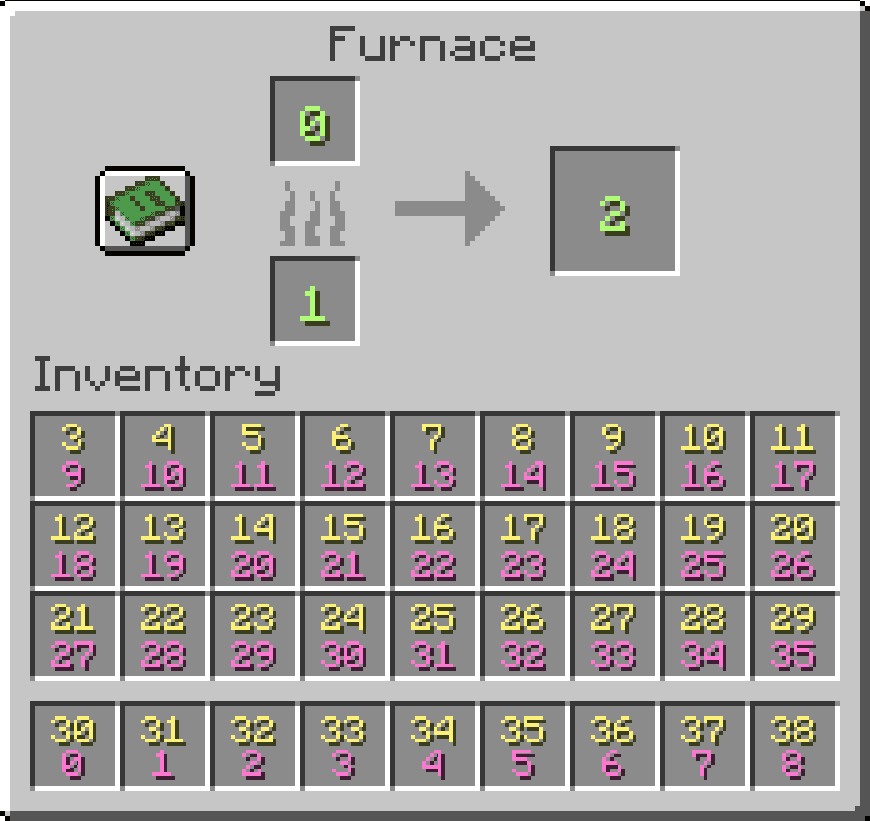
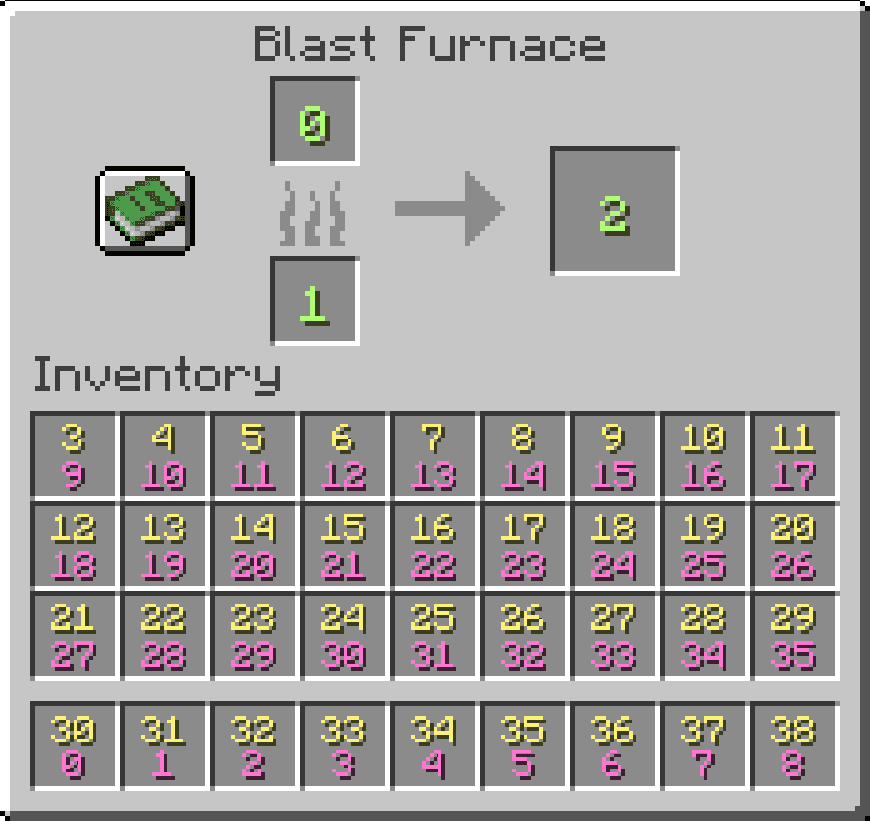
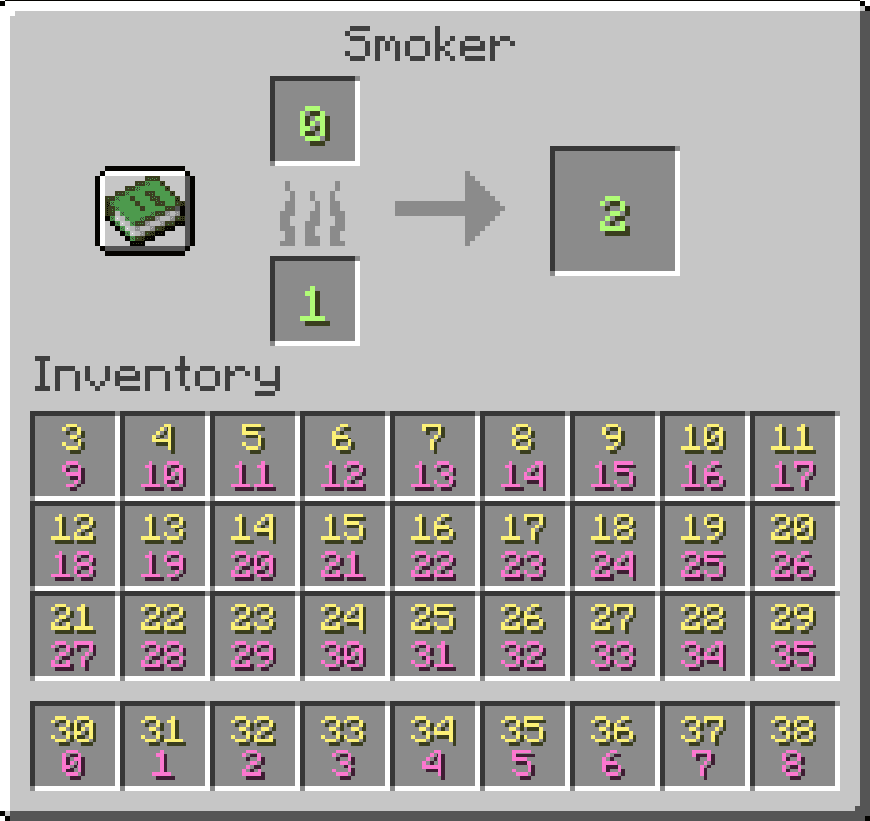
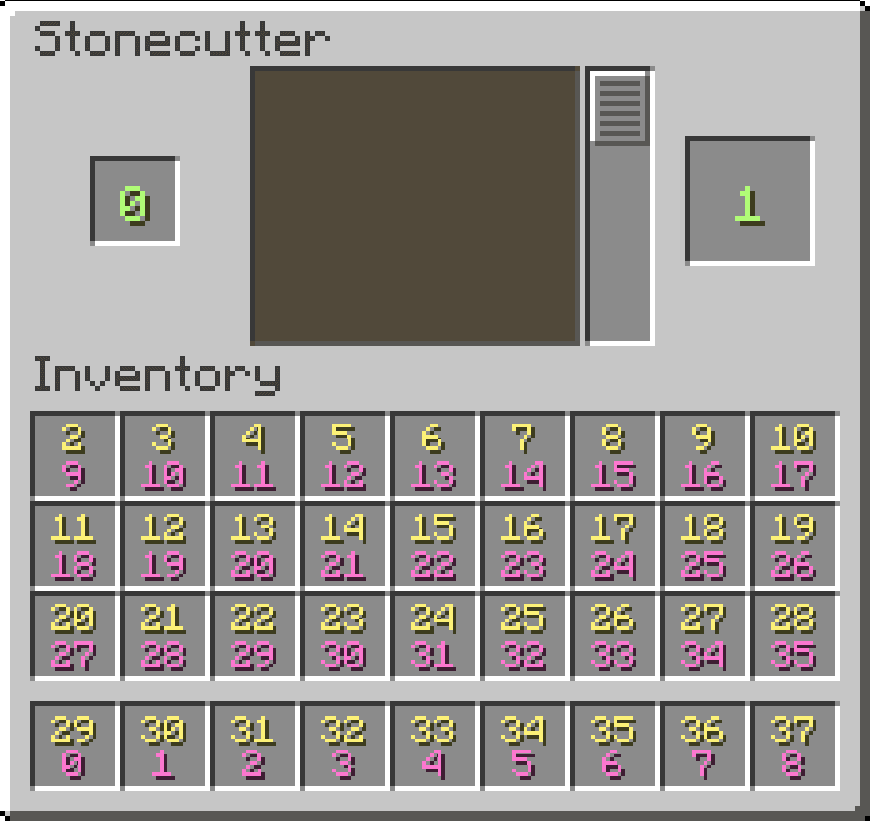
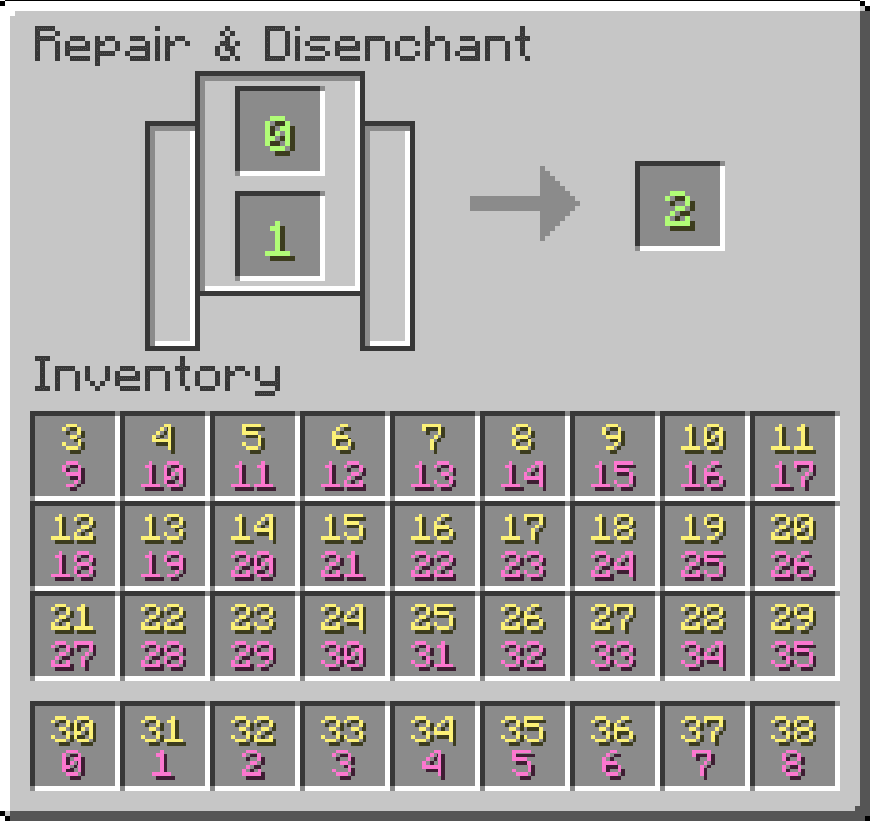
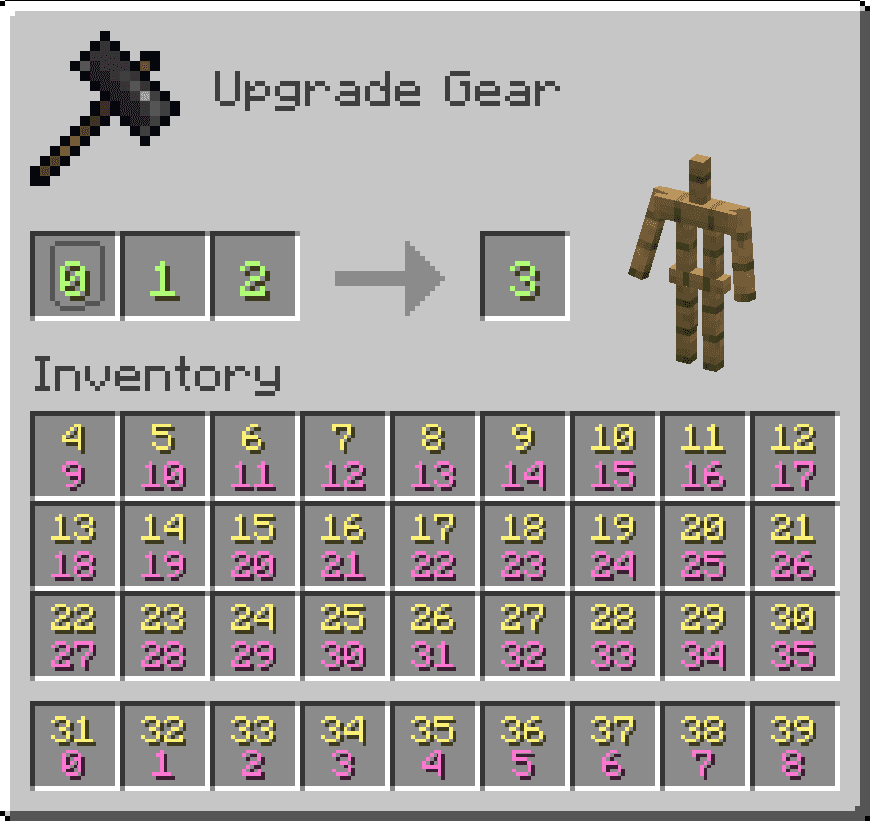
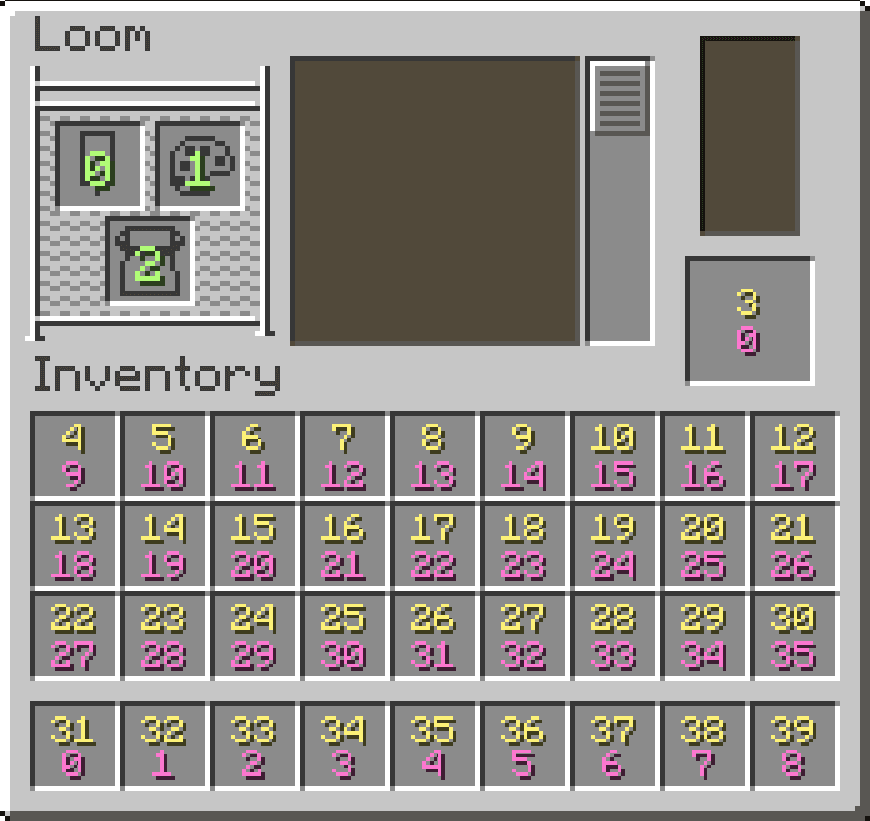
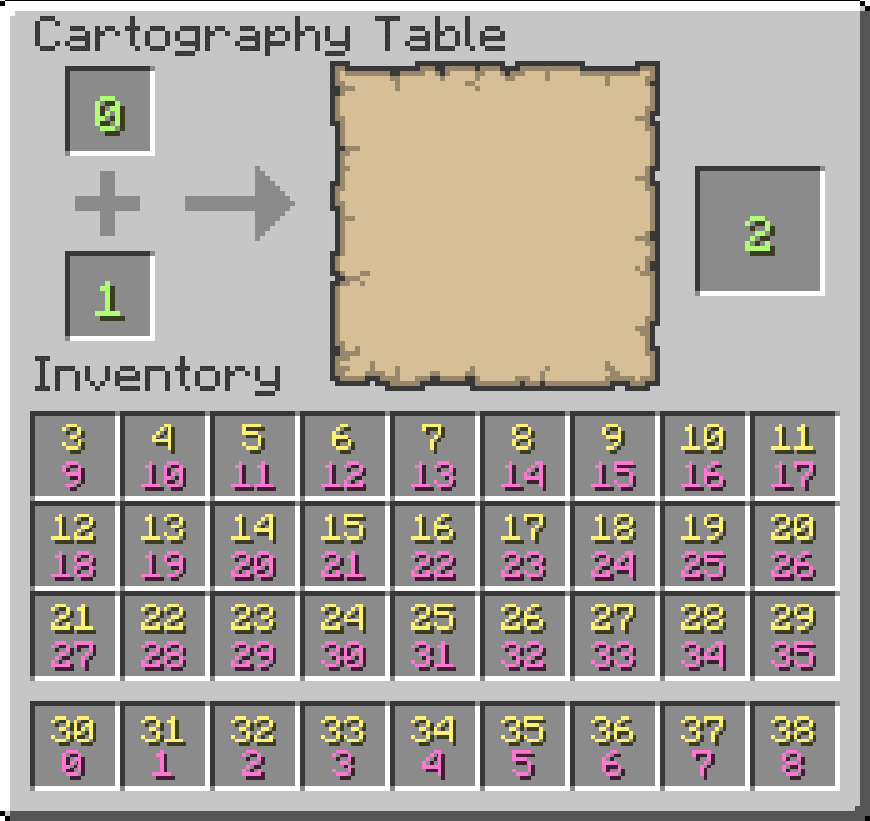
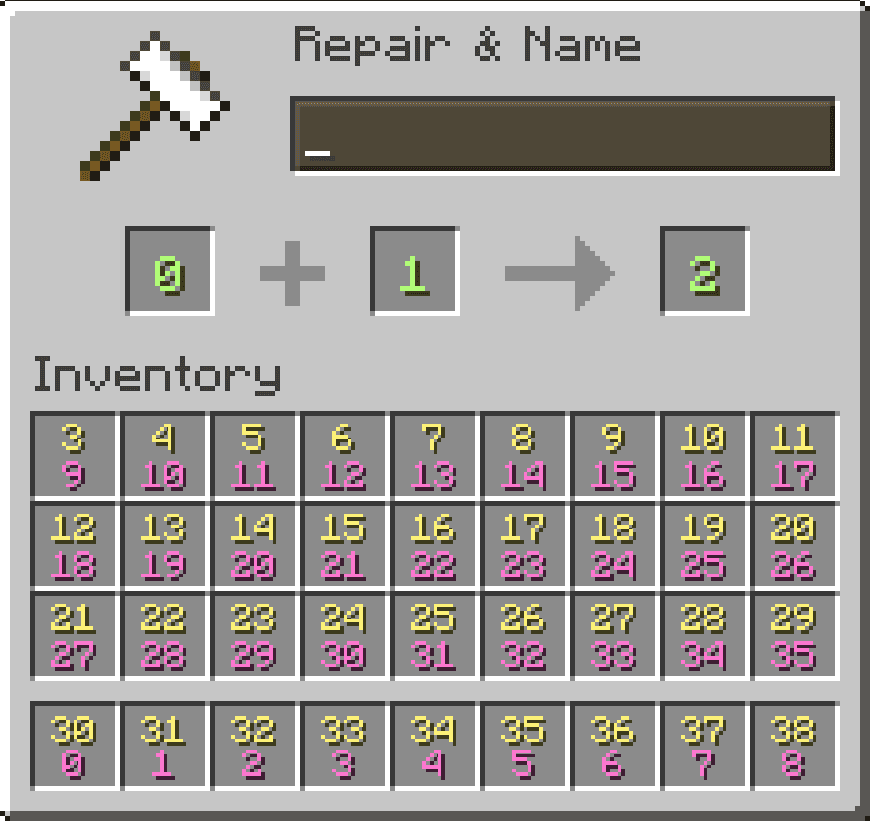
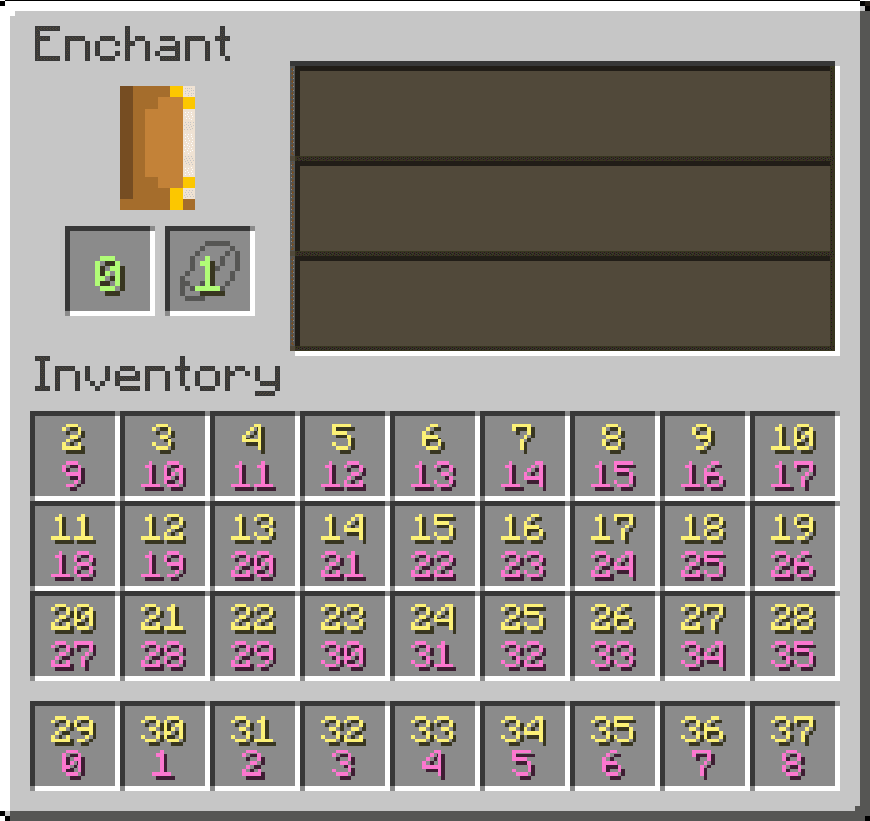
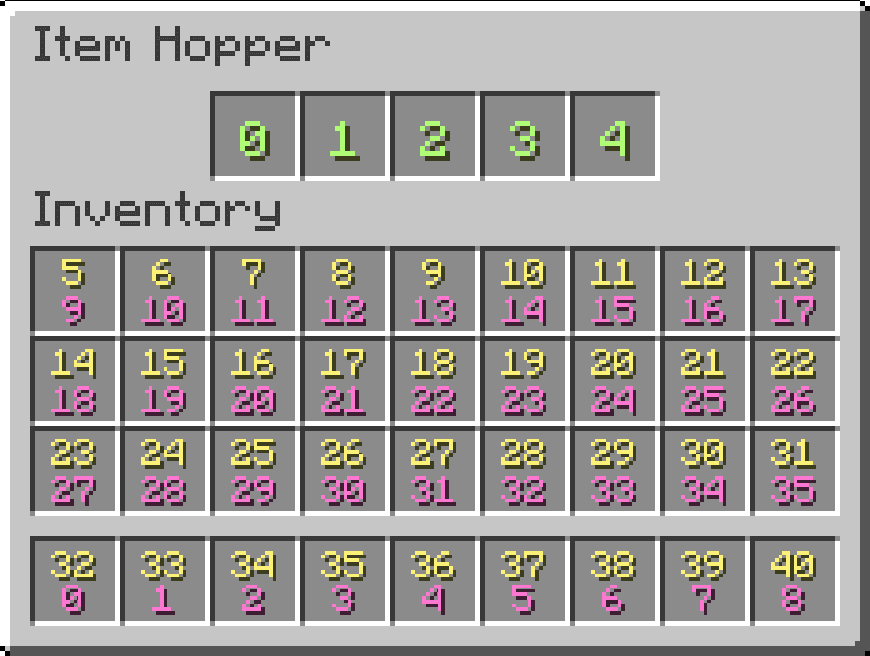
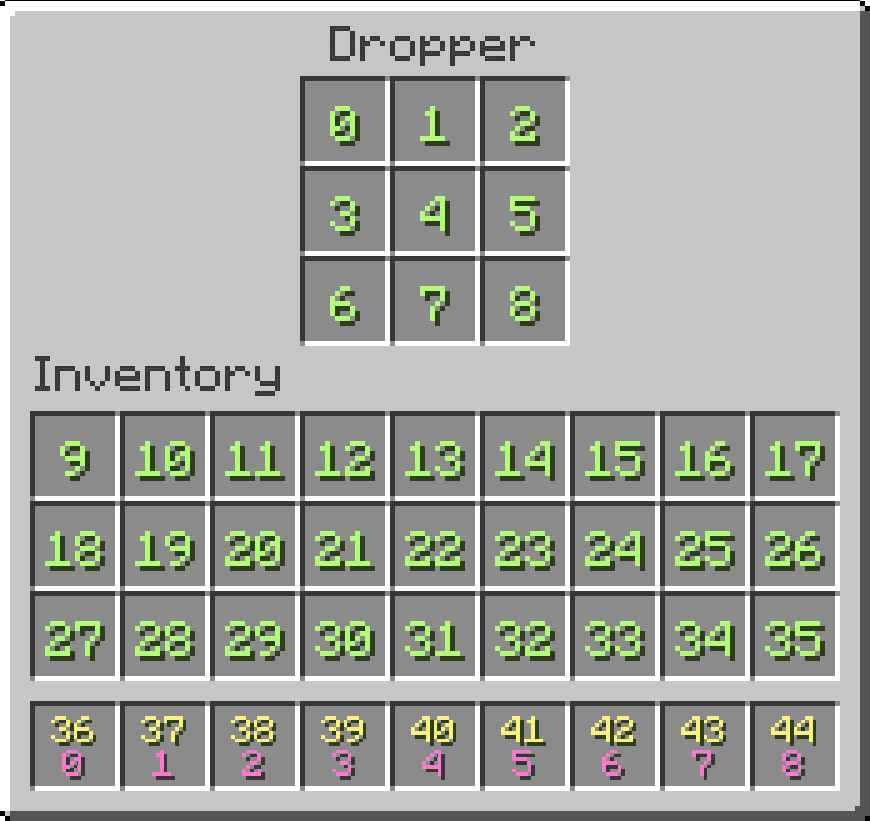
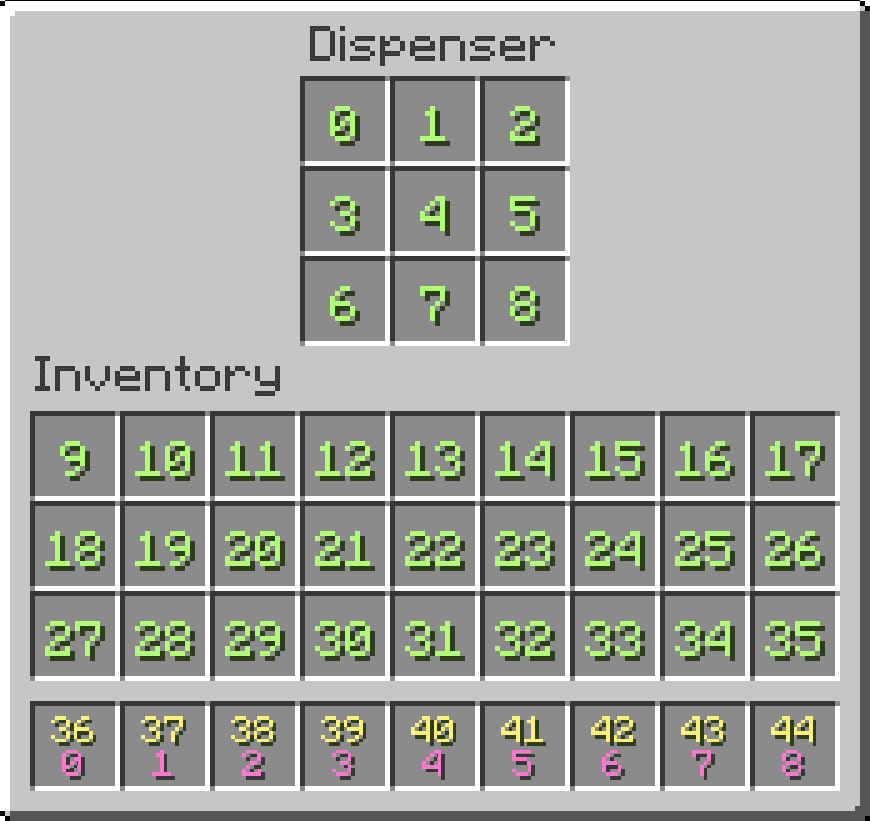
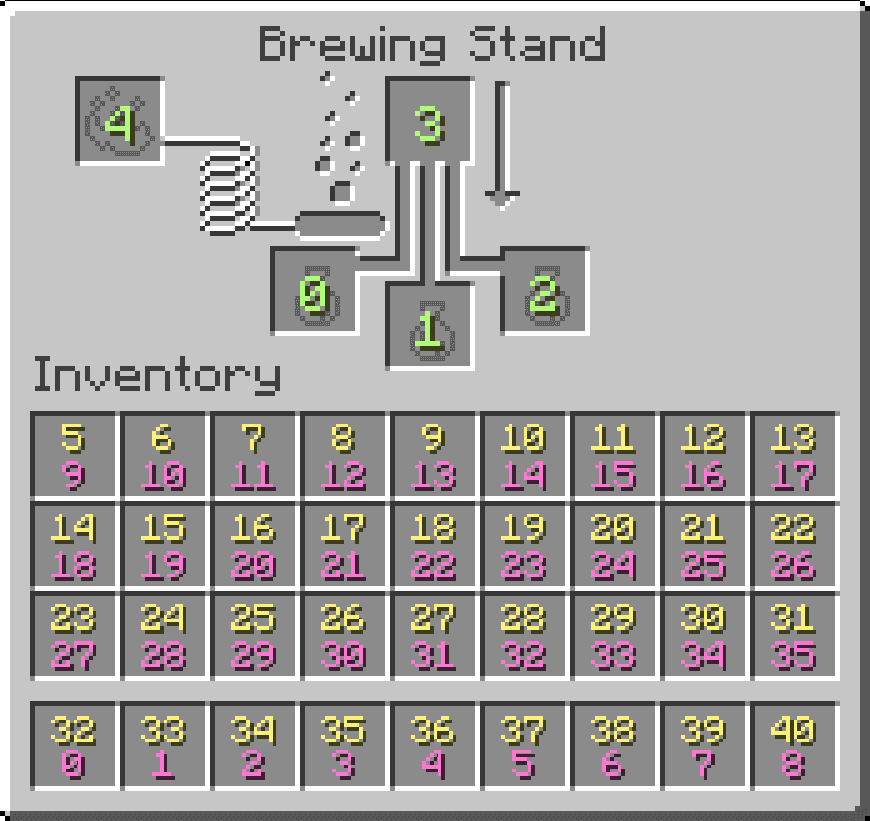
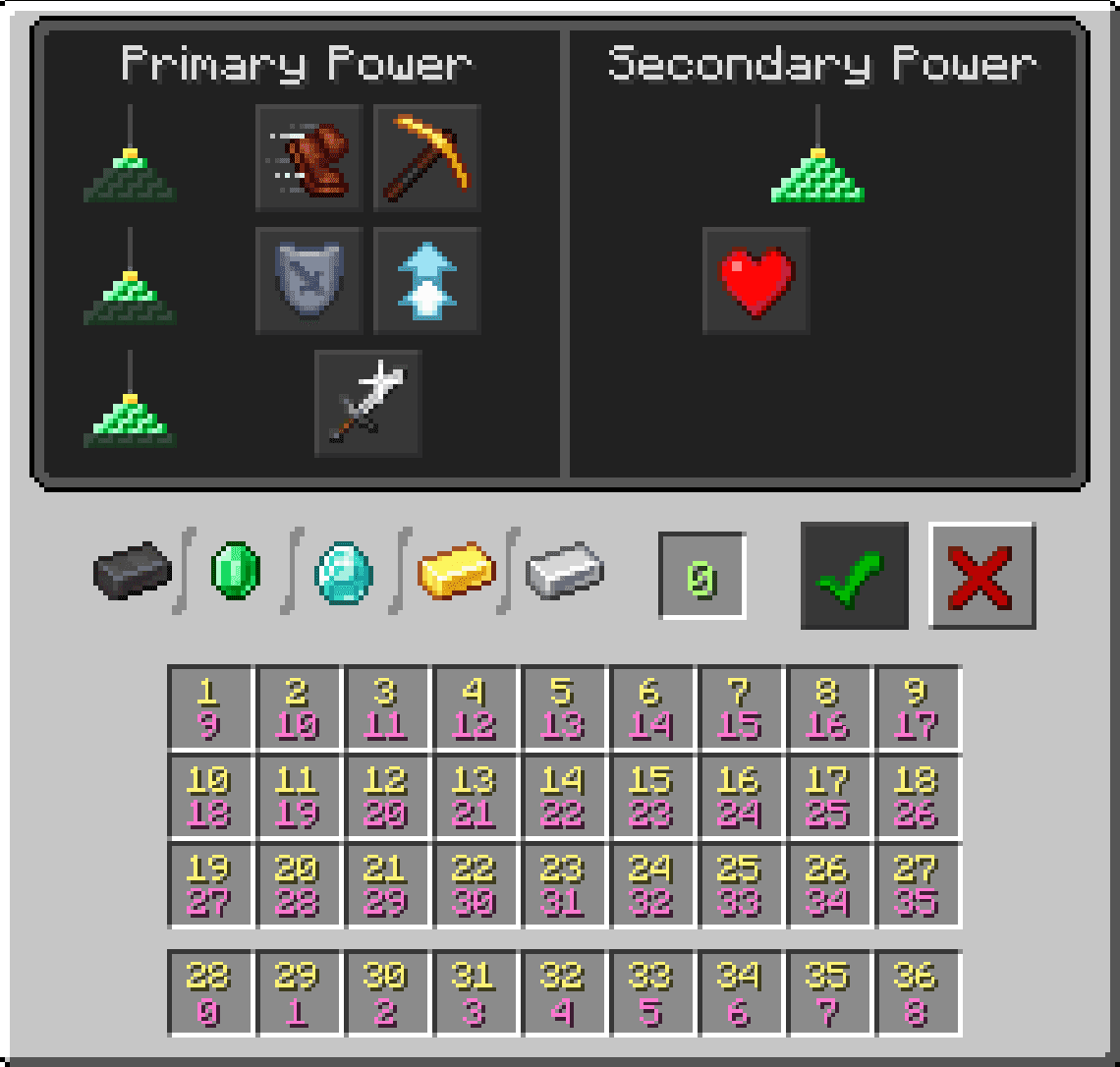
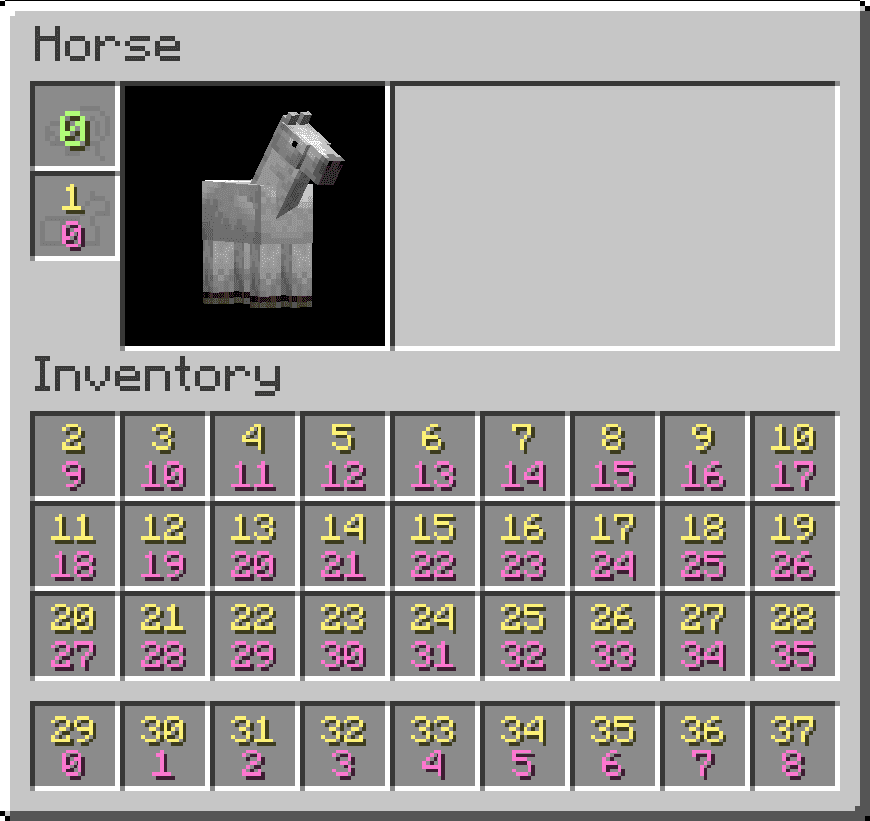
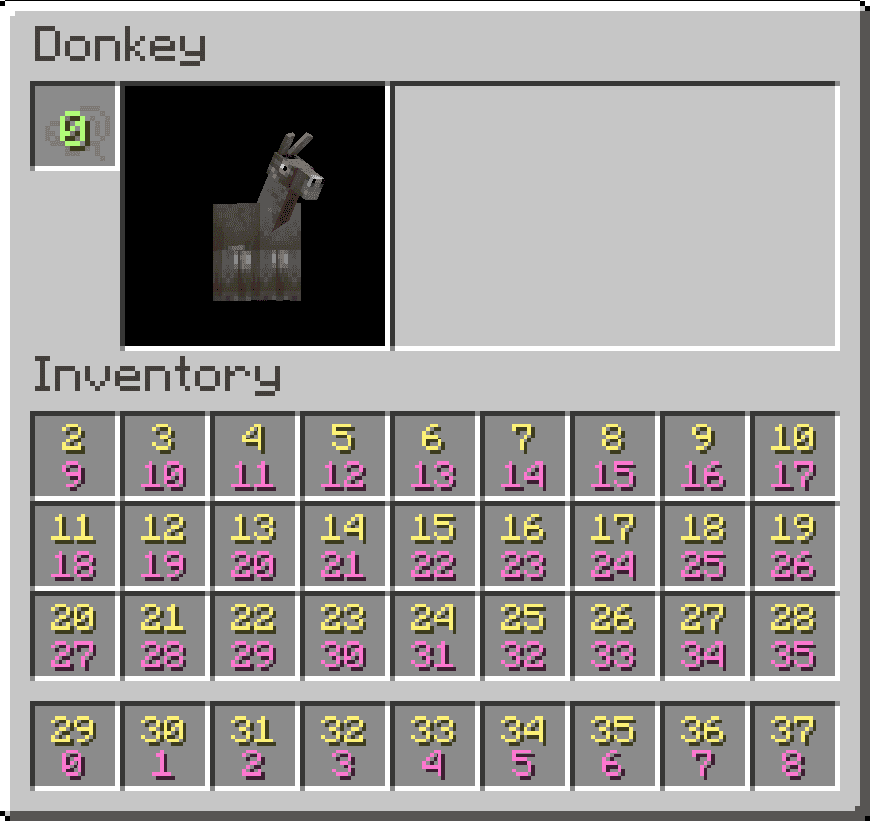
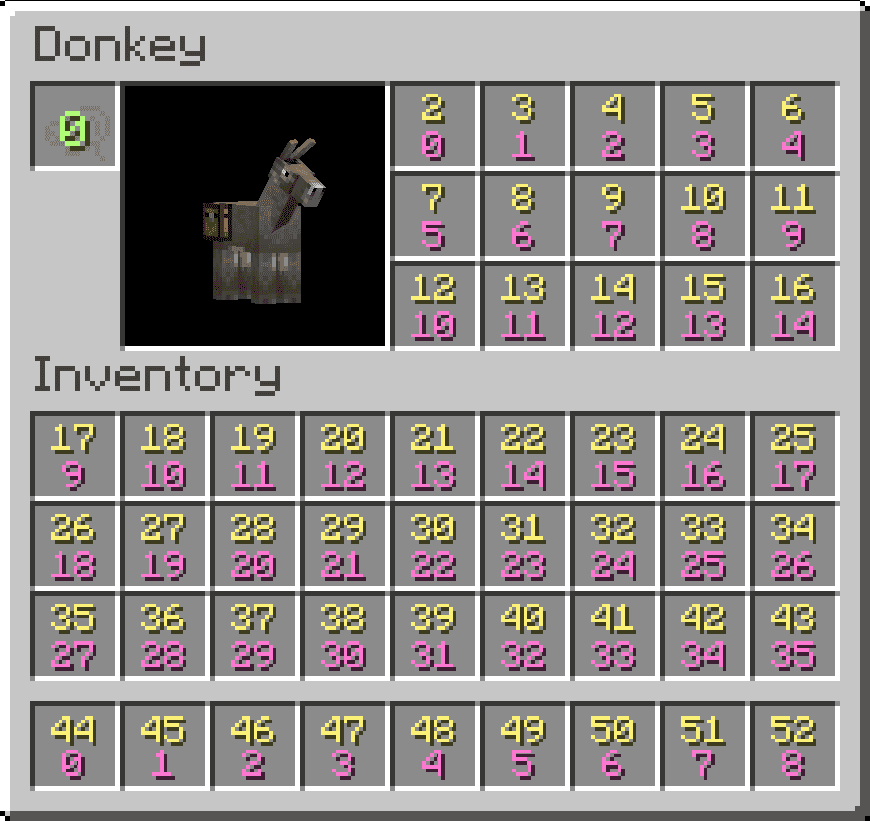
This tool lets you see how different Minecraft inventories map their slots. Choose an inventory from the dropdown or swipe through the carousel. Each screenshot shows colored numbers that explain how the game orders slots depending on the context.
Yellow Numbers - "Screen Order"
Yellow numbers show the order of slots inside the currently open screen. When you open a crafting table, chest, hopper, furnace, etc., the game builds a layout that combines the container's slots first, followed by your player inventory. Use yellow numbers whenever you care about where a slot appears in the actual GUI.
Pink Numbers - "Inventory Order"
Pink numbers show the slot's position inside the inventory it belongs to, ignoring the screen. For example, your hotbar is always 0–8 in this internal order, even if it appears as slot 30 or higher on a chest screen. Use pink numbers when you care about the slot’s true identity inside an inventory, no matter the screen.
Green Numbers - "Same in Both Views"
A slot is green when the screen order and the inventory order happen to be the same. This usually occurs when the layout of the screen doesn’t shift anything around, or when the player inventory is displayed alone. Green means you can use either numbering system safely.
Yellow Numbers - "Screen Order"
Yellow numbers show the order of slots inside the currently open screen. When you open a crafting table, chest, hopper, furnace, etc., the game builds a layout that combines the container's slots first, followed by your player inventory. Use yellow numbers whenever you care about where a slot appears in the actual GUI.
Pink Numbers - "Inventory Order"
Pink numbers show the slot's position inside the inventory it belongs to, ignoring the screen. For example, your hotbar is always 0–8 in this internal order, even if it appears as slot 30 or higher on a chest screen. Use pink numbers when you care about the slot’s true identity inside an inventory, no matter the screen.
Green Numbers - "Same in Both Views"
A slot is green when the screen order and the inventory order happen to be the same. This usually occurs when the layout of the screen doesn’t shift anything around, or when the player inventory is displayed alone. Green means you can use either numbering system safely.